Every format
HEIC ↔ JPG ↔ PNG ↔ WebP ↔ TIFF ↔ AVIF. Full profile-aware conversion — sRGB, Display P3, Adobe RGB preserved or converted as you like.
Drop a folder of photos in. Walk out with clean, converted, renamed files with the metadata exactly the way you want it. Universal Apple app — iPad, iPhone, and Mac. Zero cloud. Zero telemetry. Zero fuss.
No dark patterns. No paywall wall-of-shame. No feature exists because a growth PM said so — every one is here because Michael needed it and shipped it.
HEIC ↔ JPG ↔ PNG ↔ WebP ↔ TIFF ↔ AVIF. Full profile-aware conversion — sRGB, Display P3, Adobe RGB preserved or converted as you like.
Multithreaded on Apple Silicon across iPad, iPhone, and Mac. A thousand 12MP RAWs to JPG in seconds. Progress that actually finishes.
Full EXIF, IPTC and XMP editing. Rewrite copyright fields, strip GPS from a whole folder at once, or scrub location for public sharing.
Template-driven batch rename with tokens for date, camera, sequence, aspect and location. Preview every filename before it lands.
Long-edge, short-edge, exact dimension or percentage. Optional PNG watermark with per-side offset and opacity control.
Signed, notarised Apple app. No sign-in. No cloud. No telemetry. Your files stay on your device.
Workflow
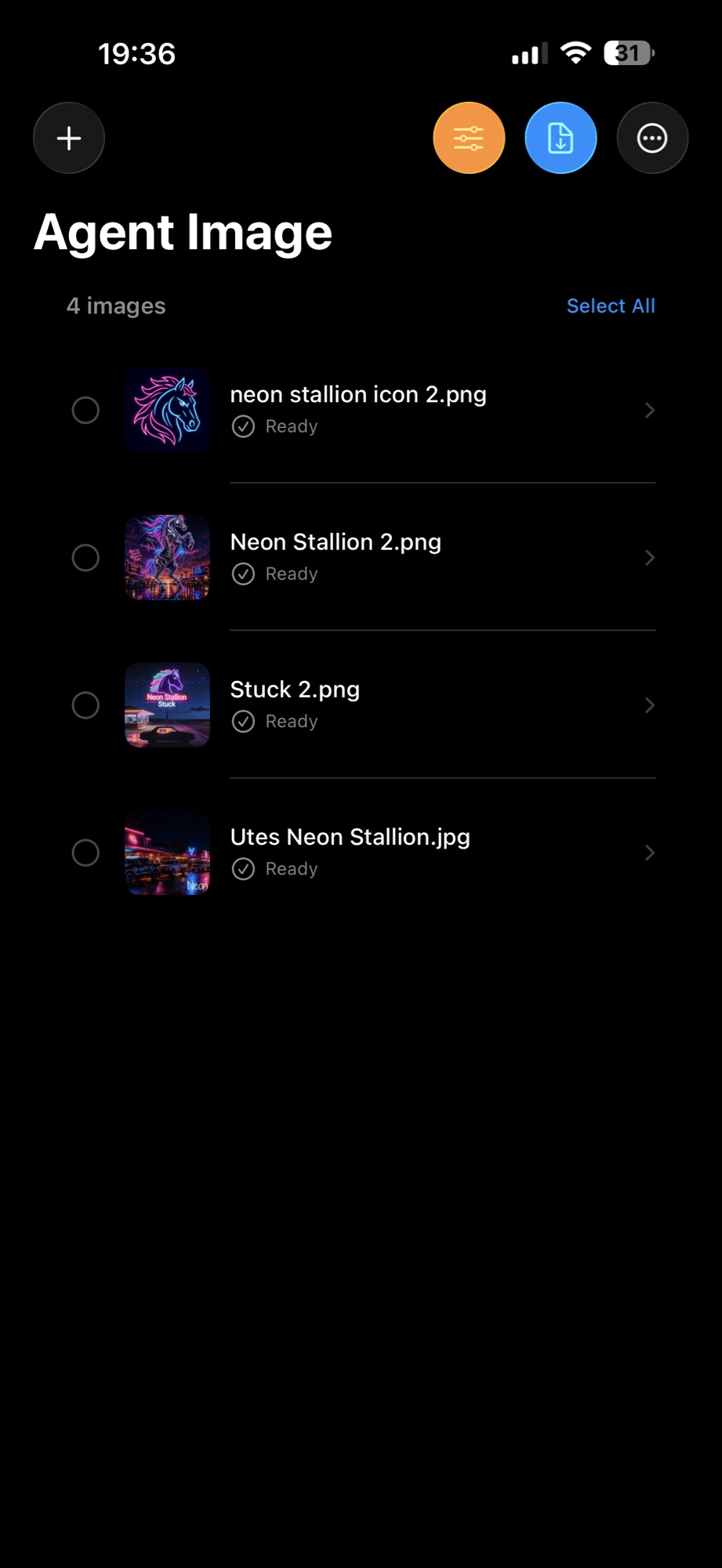
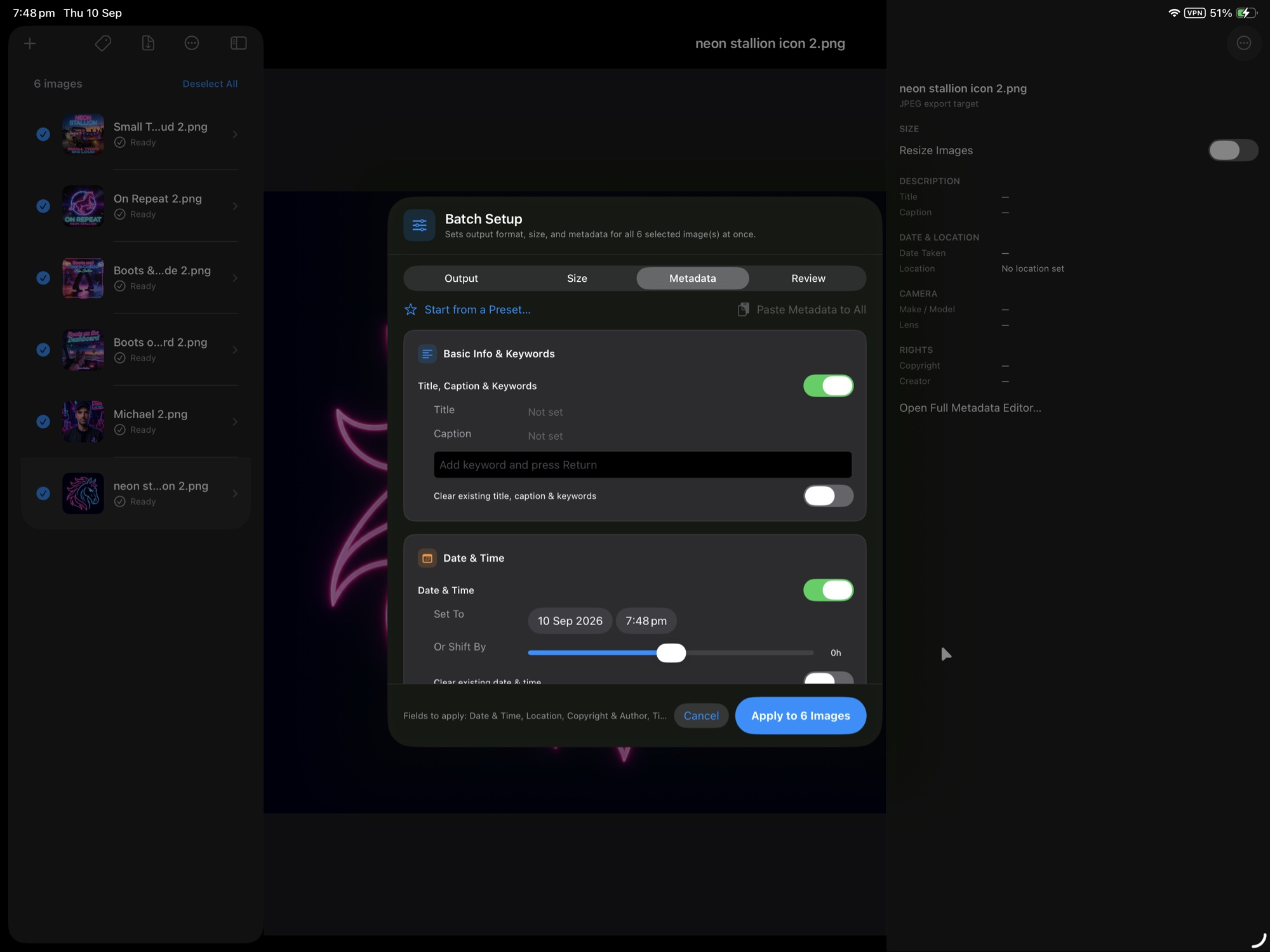
Agent Image is the tool you reach for when a client sent 400 HEICs and the printer needs TIFFs by tomorrow. Import a batch, review each image in the queue, then step through Output › Size › Metadata › Review and hit Apply. On iPhone, iPad and Mac — same batch pipeline, same result.
Metadata
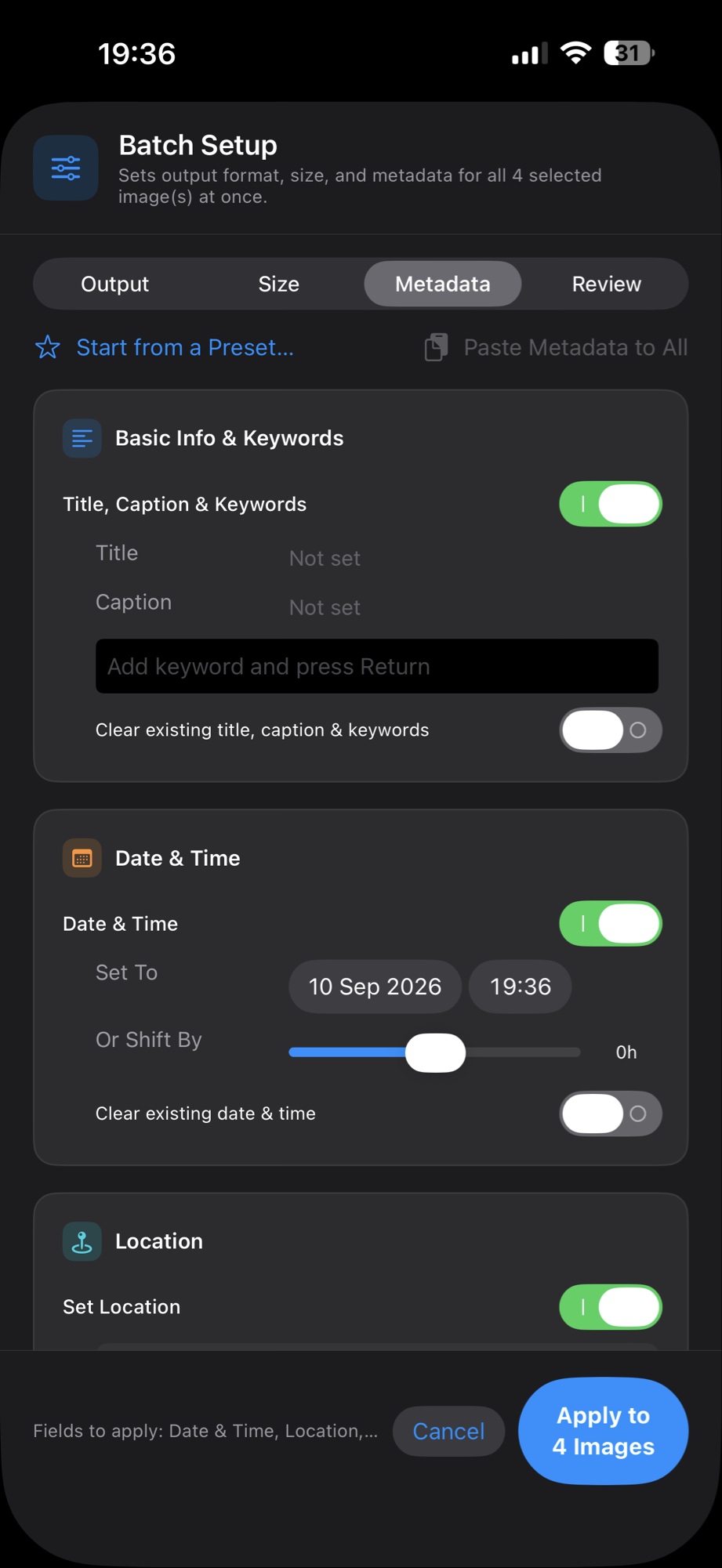
The Batch Setup wizard writes title, caption, keywords, date & time and location to every selected image at once. Toggle a field on to set it, or toggle “Clear existing” to strip it. Start from a preset when the job repeats.
Location
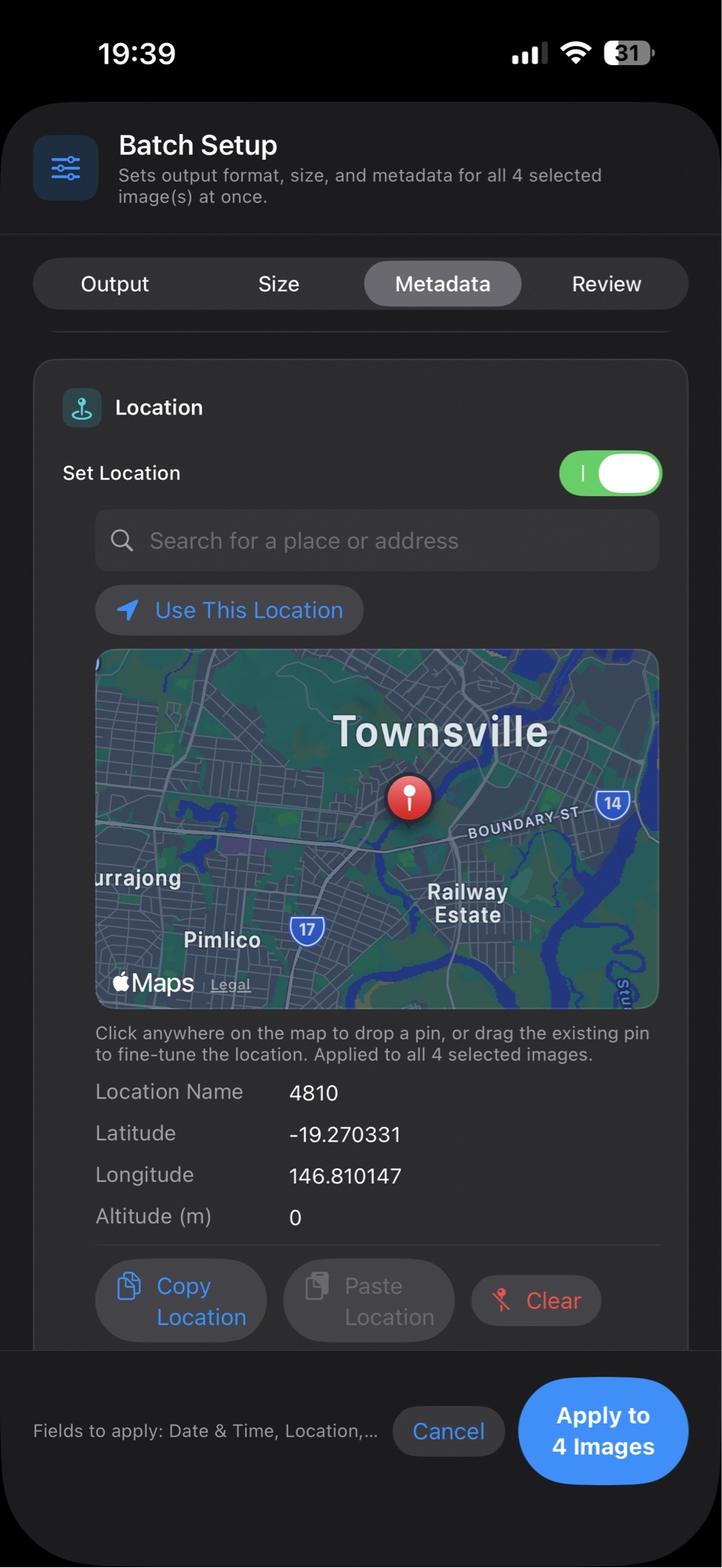
Search a place, drop a pin on the map, or use your current location — then apply that GPS write to every selected image. Or flip Clear to scrub location from a whole batch before you share.
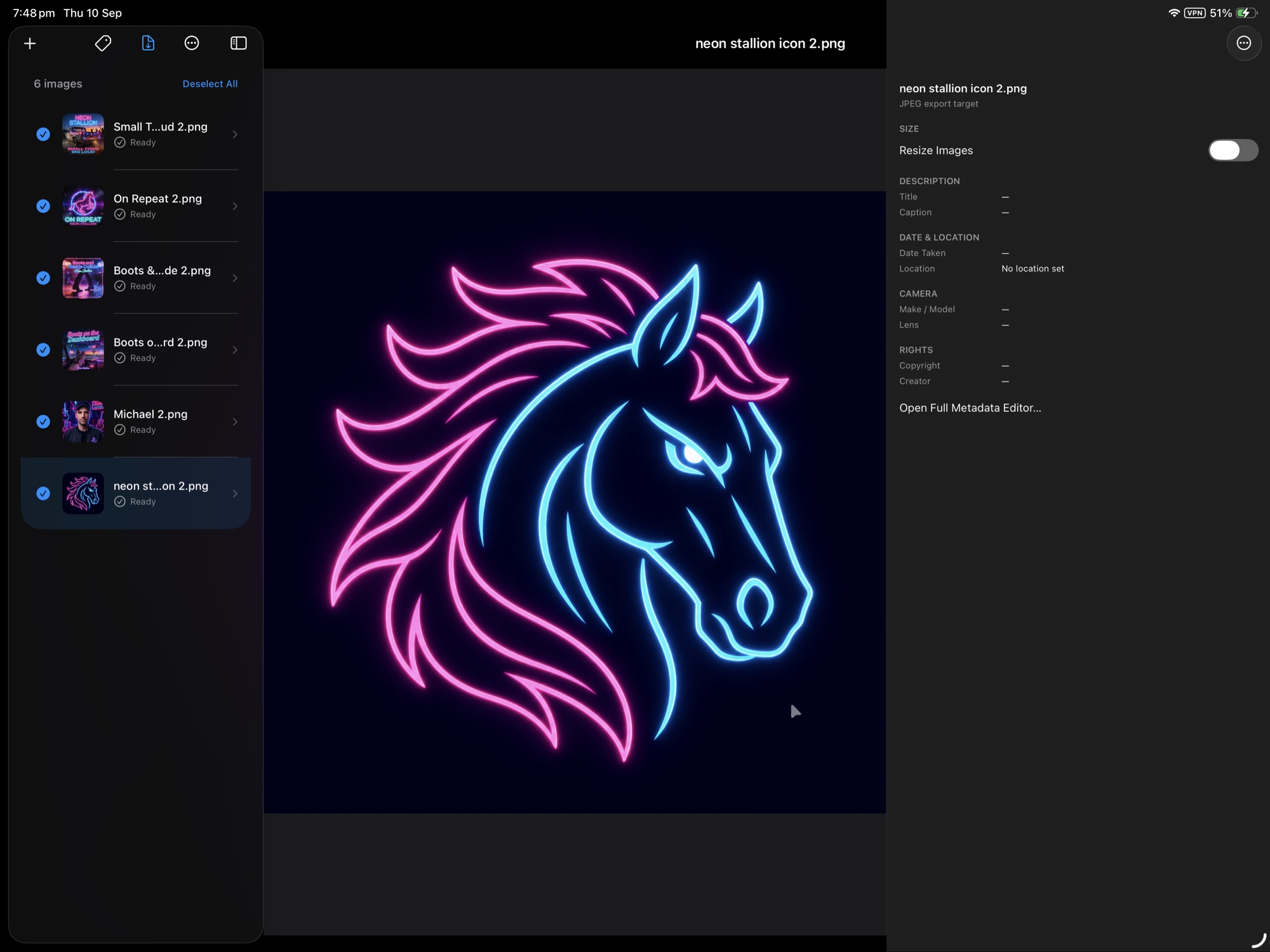
Built native for every Apple screen you own. On iPad, the same batch pipeline stretches out into a proper three-pane workspace — queue on the left, subject in the middle, metadata on the right.
Three panes at a glance
Batch Setup, without hiding the queue